Editor Guide
Auto-completion
- Complete keywords like
if,then, etc. - Complete questions: type
Qorqto show question list - Complete options: after selecting a question, type
Aorato show option list - Complete matrix sub-questions: after selecting a question, type
Sorsto show sub-question list

Copy IDs
In the preview area on the right, you can see IDs for questions and options. Click them to copy.

Quick Comment
Comment/uncomment current line or selected lines
Use CMD + / on Mac, CTRL + / on Windows
Split Editor
Drag the divider between the editor and preview areas to adjust their widths.
Hover Preview
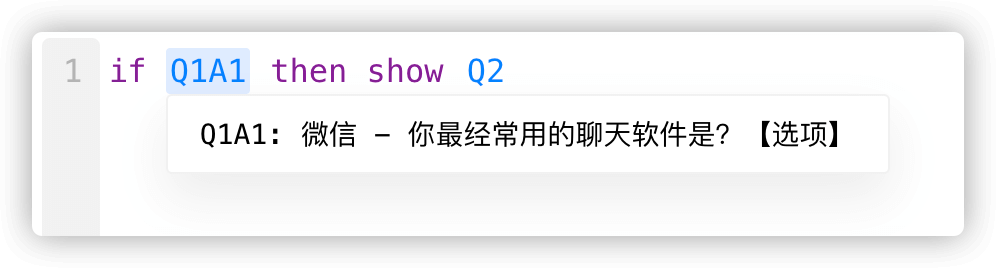
Hover over question IDs (blue highlighted text like Q1, Q1A1) to see question content.
Error Hints
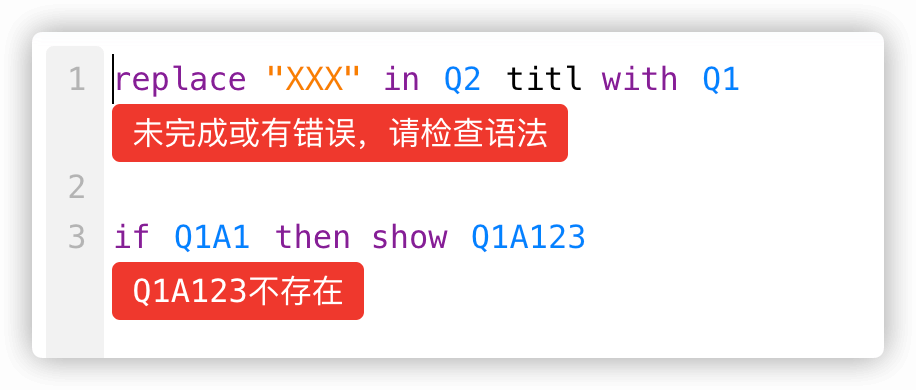
When a line has an error, it will show at the bottom.